API Keys
API keys allow you to authenticate with the Swetrix API programmatically. You can use them to retrieve statistics, manage your account, and more.
Creating an API Key
To create a new API key:
- Go to your Account Settings.
- Open the Account tab.
- Scroll down to the API Key section.
- Click the Generate new API key button.
Your new API key will be displayed.
warning
Treat your API key like a password. Do not share it publicly or commit it to version control systems.
Deleting an API Key
If your API key is compromised or you no longer need it, you can delete it:
- Navigate to the API Key section in your Account Settings.
- Click the Delete API key button.
- Confirm the deletion in the modal window.
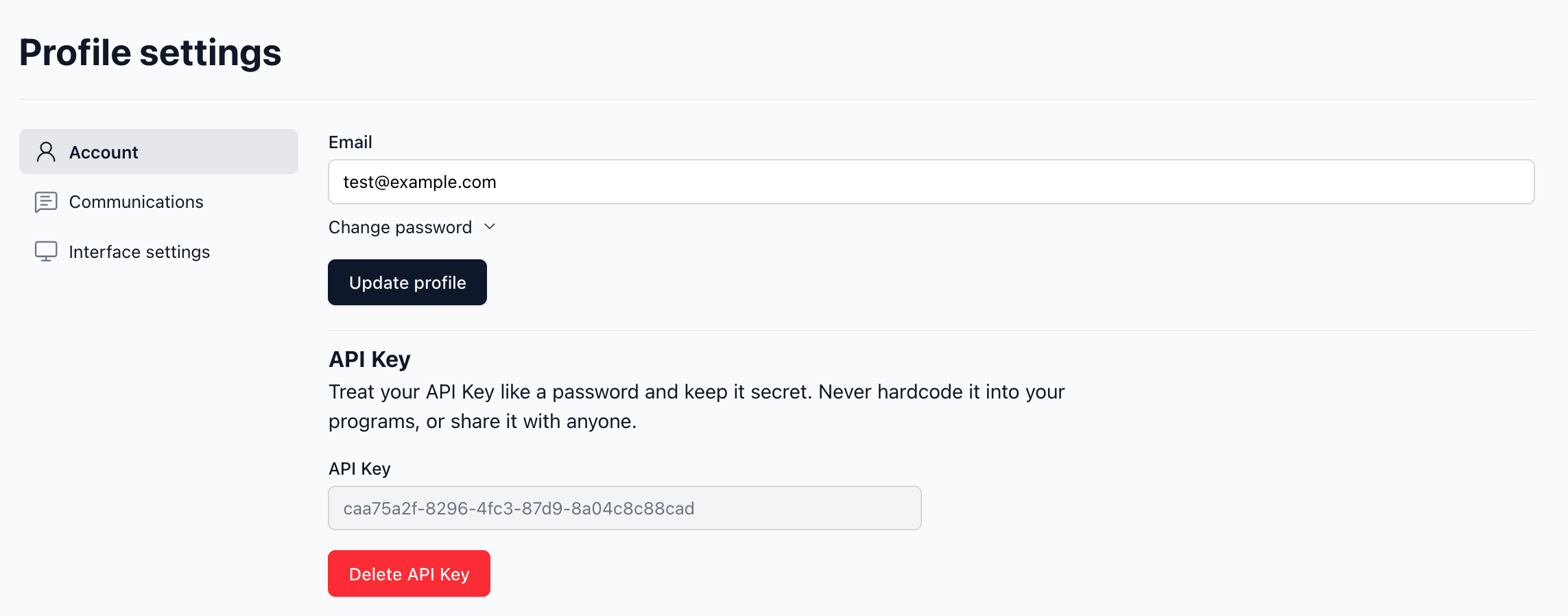
Once deleted, any applications or scripts using this key will no longer be able to access the API.
Using the API Key
You can use your API key to authenticate requests to the Swetrix API. For more information on available endpoints and how to use them, please refer to the Statistics API reference.
Example usage:
curl 'https://api.swetrix.com/v1/log?pid=YOUR_PROJECT_ID&timeBucket=day&period=7d' \
  -H "X-Api-Key: YOUR_API_KEY"

Help us improve Swetrix
Was this page helpful to you?