Goals
Goals allow you to track specific actions that visitors perform on your website. They help you measure how well your site fulfils your target objectives.

Overview
A Goal in Swetrix represents a desired outcome, such as a visitor signing up for a newsletter, downloading a file, or reaching a "Thank You" page after a purchase. By defining goals, you can see conversion rates and trends for these critical actions directly in your dashboard.
Swetrix supports two types of goals:
- Pageview: Triggered when a visitor visits a specific page URL.
- Custom Event: Triggered when a specific custom event is sent from your website.
Creating a Goal
To create a new goal:
- Navigate to the Goals tab in your project dashboard.
- Click the Add Goal button.
- Fill in the goal details in the modal window.
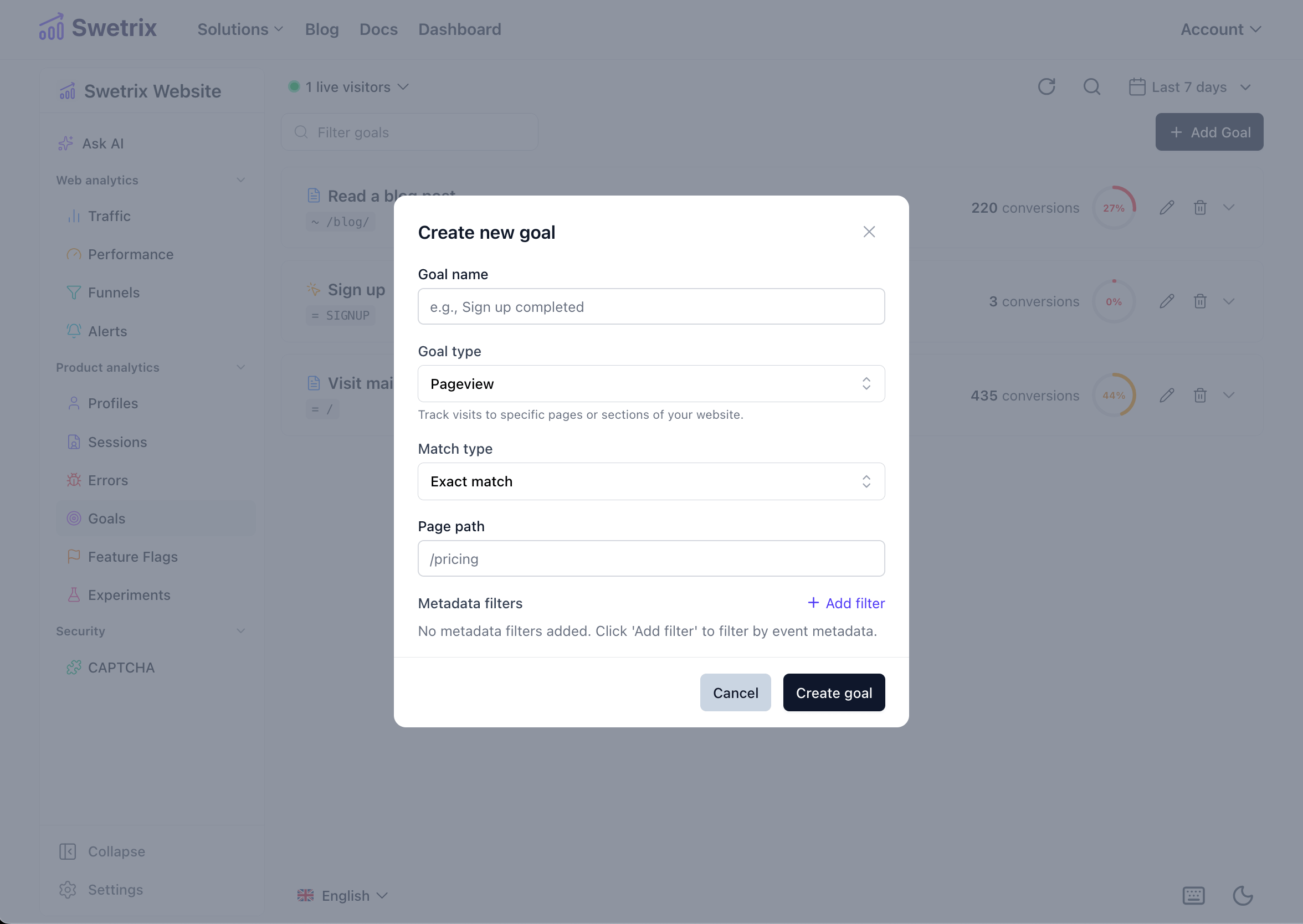
Goal Settings
| Setting | Description |
|---|---|
| Name | A friendly name for your goal (e.g., "Newsletter Signup"). |
| Type | Choose Pageview to track page visits or Custom Event to track specific interactions. |
| Match Type | Exact match: The value must match exactly. Contains: The value must contain the specified string. |
| Value | For Pageview: The path of the page (e.g., /pricing or /thank-you).For Custom Event: The name of the event (e.g., signup_completed). |
| Metadata Filters | (Optional) Add specific conditions based on event metadata. For example, track only signups where plan equals pro. You can add multiple key-value pairs. |
Managing Goals
Once created, your goals will appear in a list on the Goals tab.
- Search: Use the search bar to filter goals by name.
- Edit: Click the pencil icon to modify a goal's settings.
- Delete: Click the trash icon to remove a goal.
Analyzing Goal Data
Each goal in the list displays a quick summary of its performance for the selected time period.
Summary Cards
- Conversions: The total number of times the goal was completed.
- Conversion Rate: The percentage of unique sessions that completed the goal. Calculated as:
(Unique Visitors who completed goal / Total Unique Visitors) * 100.
Detailed Chart
Click on any goal in the list to expand it and view a detailed performance chart.
The chart visualises two metrics over time:
- Conversions (Green): The volume of goal completions.
- Sessions (Blue): The number of unique sessions that contributed to these conversions.
This visualisation helps you identify trends, such as which days or times generate the most conversions.

Help us improve Swetrix
Was this page helpful to you?